Nagad taka kete niche kintu jaini
How to Fix It:
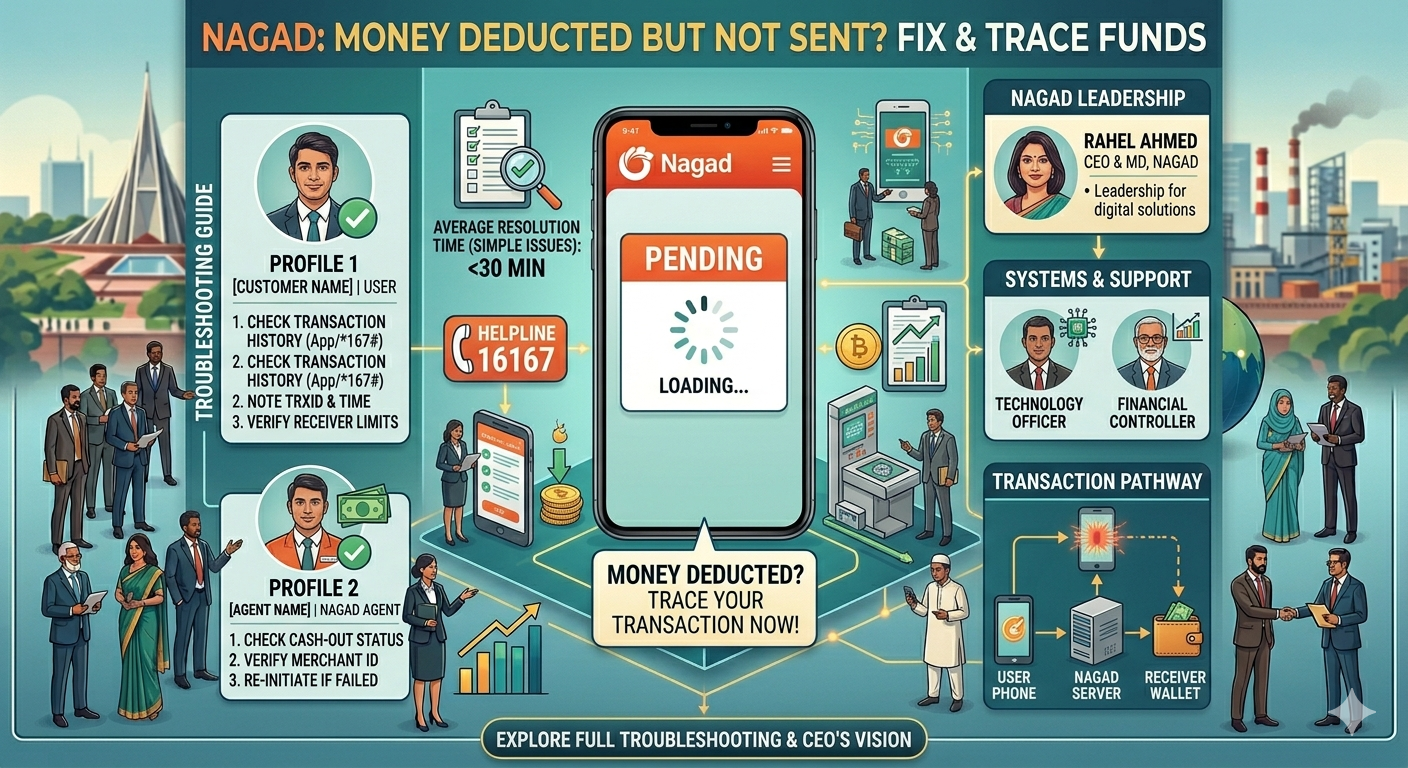
- The Reversal Window: Most Nagad “stuck” payments are automatically reversed within 72 hours. However, you can speed this up by using the “Complain” button within the Nagad App transaction history.
- Virtual Assistant: Use the Nagad website’s live chat or the app’s help section to provide your TrxID and the Receiver’s Number.
Key Troubleshooting Steps (The Solution)
- Check Your Transaction History: Open the Nagad app and navigate to the “Transaction History” tab. If the status is “Success,” the issue is on the receiver’s end. If it is “Pending,” wait at least 10–30 minutes.
- Verify KYC Status: If your account is not fully verified, large transactions may be held. Go to the “Profile” section of the app to confirm your identity verification is complete.
- Check the Recipient’s Limit: If the recipient has reached their daily or monthly receiving limit, the transaction will fail, though funds may be temporarily held.
- Contact Official Support: If the funds are not returned or delivered within 24 hours, contact the Nagad hotline immediately.
- Hotline: 16167
- Alternative Number: 096 096 16167
C. Comparison of Transaction Methods (SEO Table)
| Method | Verification Step | Common Issue |
| Nagad App | Check “Transaction Details” | Network glitch/Pending status |
| *USSD (167#) | Dial *167# and select “My Nagad” | No instant confirmation SMS |